Showing posts with label Scrap Stuff. Show all posts

Thursday, January 16, 2014

Cherry Bomb tut & Template...


Supplies Used:
I created a template for this tag which you can download HERE.
Christelle Rockabilly tube from Celinart Pinup. Get it HERE.
Cherry Bomb kit from Pink Paradox Productions. Get it HERE.
\Eyecandy 4000 Glass & Gradient Glow (Font only)
Mask of choice
Font: SP Pretty Purkey

Open up your template and delete the text layer.
Dropshadow Bars 1 & 4. 
(You could also add papers but I liked how they looked.)
Select Bar 2.
Selections, Select all, Float.
C/P Paper 8.
Selections, Invert, Delete.
Deselect.
Delete Bar 2.
Dropshadow your new paper layer.
Select Bar 3.
Selections, Select all, Float.
C/P Paper 8.
Selections, Invert, Delete.
Deselect.
Delete Bar 3.
Dropshadow your new paper layer.
C/P Element 5.
Resize by 20%. Dropshadow.
Position inside the top of bar1.
Duplicate kiss and mirror.
Position inside the bottom of bar 4.
 Select the Center Oval layer.
Selections, Select all, Float.
Open Paper 21.
Image, Rotate, Free Rotate 15 degrees left all layers checked.
C/P Paper onto your template.
Selections, Invert, Delete.
Deselect.
Delete the original oval layer.
C/P Element 79.
Resize by 50%. Dropshadow.
Position over the left side of the oval frame.
C/P Element 53.
Resize by 30%. Dropshadow.
Position under the right bottom of the jukebox.
C/P Element 54.
Resize by 30%. Dropshadow.
Duplicate.
Position records fanned out under the right side of the jukebox.
C/P Element 87.
Resize by 60%. Dropshadow.
Position lined up with the left side of the frame layer.
If desired you can use your eraser tool to remove excess leaves from the element.
C/P Element 52.
Image, mirror.
Resize by 40%. Dropshadow.
Use your deform tool to position a bit straighter at the bottom of the jukebox.
C/P Element 64.
Resize by 20%. Dropshadow.
Position over the bottom v of the guitar.
C/P the following elements. Resize by 20% then dropshadow.
Element 1
Element 2
Element 9
Position as desired around the perfume bottle.
C/P your tube.
Dropshadow.
C/P Element 43.
Resize by 50%. Dropshadow.
Position over the tube.
Type out your font.
Apply Eyecandy 4000 Glass.
Add Gradient Glow of 6 in color #8ec51f.
Don't forget to add your copyright & Watermark.
Select your background layer.
Flood Fill with color #760202.
Apply mask of choice & Merge group.

Thanks for trying my tut. Hope you enjoyed!

Monday, October 28, 2013

Son tut....

Supplies Used:
Jax tube by the amazing Freya. This was a private commission. 
Son of A Gun kit & Add on by me. Get the PTU kit at PFD.
Download the FTU portion of the kit from my blog HERE. (Comments are appreciated.)
Eyecandy 4000 Glass & Gradient glow (Font Only)
Font: Carnivalee Freakshow
 Open a new image size 500 by 500.
C/P Frame 7.
 Resize by 75%.
Select the inside of the frame and inside the links with your magic wand.
Selections, Modify, expand by 3.
Add a new raster layer under the frame layer.
C/P Paper 10 from the add on into selection.
Deselect.
Dropshadow frame.
C/P Gear 3 from the add on.
Position under the top left side of the paper.
Dropshadow gear.
C/P Vine.
Rotate 90 degrees.
Position along the top of the frame.
Dropshadow vine.
C/P Roses.
Resize by 65%.
Image, Mirror.
Dropshadow roses.
Position along the left side of the frame.
C/P Dragon Skull.
Resize by 40%.
Dropshadow.
Position over the top left corner of the frame.
C/P Cemetery.
Resize by  50%.
Image, Mirror.
Dropshadow.
Position along the bottom of the frame.
C/P Liquor.
Resize by 60%. Dropshadow.
Position over the bottom left corner of the frame.
C/P Bike.
Resize by 50%. Dropshadow.
Position under the right side of the bottles.
C/P Ammunition box.
Resize by 50%.
Dropshadow.
Position under the right side of the bike.
C/P your tube.
Dropshadow.
Position over the right side of the frame.
C/P Tag Back 2.
Resize by 45%. Dropshadow.
Position under the top left side of the frame.
Duplicate & Mirror.
Merge layer down.
Duplicate & Flip.
Type out your font.
Apply Eyecandy 4000 Glass.
Add Gradient Glow of 3.
Dropshadow.
Don't forget your copyright & Watermark.


Tuesday, October 15, 2013

Zombie Beauty Mini tut....

Supplies Used:
Zombies Have More Fun tube By Christine Marie-Kotlark. Get it at SATC.
Zombie Heart kit by Me...Tragic Scraps. Get it at PFD
Eyecandy 4000 Glass & Gradient Glow 
Font: Zombie

What I used:
Tag Back 2 (75%)
Paper 21
Paper 16 (Luminance L)
Moon (50%)
Clouds (Opacity to 80)
Black Butterflies (30%)
Frame 7 (60% then 90%) (Duplicate frame, Layer Property Multiply, Opacity 90)
Dead Trees (50%)
Cemetery (85%)
Orchids (30%)(Duplicate, Top layer property multiply)
Rose & Thorns (50%)
Rose In Bowl (7%)(Mirror)
Skull Pile (30%)(Mirror)
Word Art 2 (75%)


Friday, October 4, 2013

Blood Rose Mini tut...

Supplies Used:
Thirst For Blood tube by Danny Lee. Get it at SATC.
Death Of A Rose kit from Me :) Get it at PFD.
Eyecandy 4000 Glass & Gradient Glow (Font Only)
Font: Bad Angel

What I Used
Paper 7 (Duplicate, Top Layer Multiply)
Moon (50%)(Duplicate, Top Layer Multiply)
Dead Tree (50%)
Mist 1
Frame 3 (80%)(Rotate 90 Degrees)
Bats (30%)
Flower Branch (50%)(Rotate 90 Degrees)
Candle 2 (50%)(2x)
Graveyard (50%)(Mirror)
Coffin 2 (30%)
Vine (30%)(2x)
Rose 17 (30%)(2x)
Skull Pile 1 (30%)


Wednesday, May 8, 2013

Tags Using my kit Death Of A Rose...

This sinfully wicked Stunner was made for me by Jane using the kit Death of A Rose. It can be found in all my stores. 

Also using my kit Death Of A Rose Abstract Creations made this beauty using the Exclusive Freya Langford Sidebottom tube from Pinup Fantasies.

Thanks again ladies for these Jaw dropping Taggies!!


Tag By Hookah using my kit Son Of A Gun....

This sexy taggie was made by the wonderful Jackie's Jewels using my kit Son Of A Gun. Is that not the greatest cheesy pickup line! Thanks again for using my kit Hookah!


Sunday, April 21, 2013

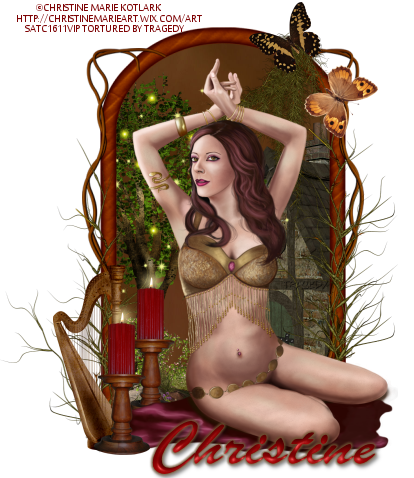
Nature's Dance tut & Clusterframe....

Supplies Used:
Belly Dancer tube by Christine Marie Kotlark. Get it at SATC.
Ala Forest Fairy kit by Puddicat Creations. I seem to have a knack for using old kits lately so once again I will include a cluster frame. You can get her current kits at SATC.
Eyecandy 4000 Gradient Glow (Font Only)
Font: Ukranian Brush Script.

Open a new image size 500 by 500.
C/P Frame 1.
Resize by 65%.
Select the inside of the frame using your magic wand.
Selections, Modify, Expand by 3.
Add a new raster layer under the frame layer.
C/P Paper 15 into selection.
Selections, Invert.
Open House 1.
Image, Mirror.
C/P onto your tag.
Resize by 50%.
Position along the right side of the frame & hit delete on the keyboard.
C/P Ground 1.
Resize by 50%.
Position along the bottom of the frame and hit delete on your keyboard.
C/P Tree 2.
Resize by 50%.
Position along the left side of the frame and hit delete on the keyboard.
C/P Water pump 1.
 Resize by 30%.
Position under the left corner of the frame & hit delete on the keyboard.
Deselect.
C/P Vines 3.
Resize by 65%.
Position over the left side of the frame.
Using your eraser tool remove any part of the vine over the inside of the frame.
Duplicate vine & Mirror.
C/P Spanish Moss 2.
Image, Flip.
Resize by 50%. 
Position over the bottom left corner of the frame.
Duplicate & Mirror.
C/P Spanish Moss 1.
Image, Mirror.
Resize by 30%.
Position over the top right of the frame.
C/P Butterfly 2.
Resize by 15%.
Position to cover the top of spanish moss 1.
C/P Butterfly 1.
Resize by 15%.
Position down slightly from the other butterfly.
C/P Harp 1.
Resize by 30%.
Position over the bottom left corner of the frame.
C/P your tube.
C/P Candle 1.
Resize by 30%. 
Duplicate.
Move one candle under the blanket of the tube layer, The other position over the right of the harp.
Dropshadow Elements, Frame, & Tube layers.
Type out your font.
Apply inner bevel of choice.
Add Gradient Glow of 3.
Dropshadow.
Don't forget your copyright & Watermark.
 
And in case you need it...Click then right click to save....
 

Wednesday, April 17, 2013

Sea Melody Mini Tut & Cluster Frame...

Supplies Used:
Melody Mermaid by Danny Lee. Get it at SATC.
Sea Melody kit from Bibi's Collection. Get it at SATC.
Eyecandy 4000 Gradient Glow (Font Only)
Font: Seasons-Spring
 
What I Used:
Paper 16
Element 99 (Mirror)(50%)
Element 19 (20%)(3x)
Element 15 (85%)
Element 68  (30%)
Element 101 (50%)
Element 92 (50%)
Element 97 (30%)
Element 13 (50%) (3x)
Element 90 (30%)
Element 3 (30%)
Element 2 (20%)
Element 95 (20%)

Here is a beautiful cluster for you all...Click then right click to save....

Friday, April 12, 2013

Sultry Nights tut & Cluster Frame...

Supplies Used:
Anastasia tube by Alexander McMillian. Get it at SATC.
Sultry Nights kit from Inzpired Creationz. This kit was from SATC. However it is no longer available so I am gonna include a cluster frame :)
Font: Sheer Grace

Open a new image size 500 by 500.
C/P Frame 3.
Resize by 75%. Dropshadow.
Use your selection tool to select around the frame.
Add a new raster layer under the frame layer.
C/P Paper 6 into selection.
C/P City Skyline.
Resize by 50%. 
Position 3/4 of the way up the inside of the frame.
Selections, Invert, Delete.
Deselect.
Dropshadow City Skyline.
Type your font over the top of the paper.
C/P Lampost 1.
Resize by 50%.
Duplicate Lamp Post. 
Change the layer property to multiply.
Change the opacity to 50.
Dropshadow original Lamp Post.
Select the duplicate & Merge down.
Duplicate lamp post.
Position lamps over the left side of the frame.
C/P Cocktail 2.
Resize by 30%. Dropshadow.
Duplicate Cocktail.
Position Cocktails over the bottom of the lamp posts.
C/P Scattered Gems.
Image, Flip.
Resize by 50%. Dropshadow.
Use your deform tool to position over the bottom of the glasses.
C/P Flower 6.
Resize by 30%. Dropshadow.
Position over the bottom of the left glass.
C/P Hat 1.
Resize by 30%. Dropshadow.
Position over the bottom of the glasses and hat.
C/P your tube.
Dropshadow.
Position over the right side of the frame.
Don't forget your copyright & Watermark.

And the Cluster frame. Click then right click to save...

Thursday, April 11, 2013

Tea With Friends Mini tut & Cluster Frame....

Supplies Used:
Tube By Bonnie's Creations. Check out her work Here.
Tea Party kit by Studio Alana. Unfortunately she has retired but you can find her old blog HERE.
Eyecandy 4000 Gradient Glow (Font Only)
Font: Xiomara

What I Used:
Frame I made from the Swirls Purple paper...
Click then right click to save...
Stripes Paper
Table (10%)
Chair Dot Blue (Mirror)(15%)
Elephant (10%)(Mirror)
Chair Stripe Purple (Mirror)(10%)
Doll (10%)
Cake (10%)
Cupcake Pink Purple (10%)
Teapot (15%)
Cup Brown Swirl (15%)
Teddy (10%)

And the cluster in case you don't have the kit...Click then right click to save...

Harlequin Party mini tut & Cluster Frame...

Supplies Used:
Arlequin tube by Bonnie's Creations. Get it at PFD.
Harley Quinn kit by Broken Dreams Scrapz
Eyecandy 4000 Gradient Glow (Font Only)
Font: Janet 

What I Used:
Paper 10
Element 31 (50%) (2x)
Element 33 (60%)
Element 9 (75%)
Element 30 (50%)
Element 34 (50%) (2x)
Element 18 (30%)
Element 36 (Flip) (30%)
Element 24 (30%)
Element 26 (30%)

And since the kit is no longer available here is the cluster...click and right click to save....


Monday, March 18, 2013

Chloe's Curse tut...(FTU)

Supplies Used:
Chloe tube by Freya Langford-Sidebottom. This tube was a private Commission but you can find more info on her work HERE.
Pick Your Poison freebie kit by Me. Get it HERE.
Mask Of Choice.
Eyecandy 4000 Gradient Glow (Font Only)
Font: Ravenscroft

Open a new image size 500 by 500.
C/P Paper 12 as a new layer.
Duplicate paper.
Change the layer property to multiply.
Apply mask of choice.
Merge group.
C/P Arch.
Resize by 65%. Dropshadow.
C/P Glitter Curtain.
Use your deform tool to position under the middle of the arch.
C/P Chandelier.
Resize by  50%. Dropshadow.
Position over the bottom point of the center arch.
C/P Bat.
Resize by 30%. Dropshadow.
Position over the Chandelier.
C/P Rose Vine.
Image, Rotate, Free rotate 90 degrees.
Resize by 75%. Dropshadow.
Position over the center column on the right side of the arch.
C/P Candles 2.
Resize by 50%. Dropshadow.
Position to the left of the rose vine.
C/P Roses 2.
Image, Rotate, Free rotate 90 degrees.
Position at the bottom of the arch.
C/P Mound.
Use your deform tool to make it shorter.
Position over the stem of the rose.
C/P Bottle 4.
Resize by 20%. Dropshadow.
Position over the center of the bottom rose.
C/P Skull.
Resize by 30%. Dropshadow.
Position to the left of the bottle.
C/P Candle 5.
Resize by 30%. Dropshadow.
Duplicate candle.
Position one candles under the skull and one to the left of the skull.
C/P your tube.
Dropshadow.
Position over the left side of the frame.
Type out your font.
Apply inner bevel of choice.
Add Gradient Glow of 3.
Dropshadow.
Don't forget your copyright & Watermark.


Wednesday, March 13, 2013

Sexy Bunny tut...(FTU)

Supplies Used:
Easter Bunny tube by Danny Lee. Get it FREE HERE.
Peeptastic kit by me, Tragic Scraps. Get it HERE.
Eyecandy 4000 Gradient Glow (Font Only)
Font: Rodding

Open a new image size 500 by 500.
C/P Frame 4.
Resize by 85%.
Select the inside of the frame using your magic wand.
Selections, Modify, Expand by 3.
Add a new raster layer under the frame layer.
C/P Paper 7 into selection.
C/P Grass.
Position under the bottom of the frame.
Selections, Invert, Delete.
Deselect.
Dropshadow grass.
C/P Tree.
Resize by 65%. Dropshadow.
Dropshadow frame.
Position under the grass layer in the frame.
C/P Basket 3.
Resize by 30%. Dropshadow.
Position over the bottom right corner of the frame.
C/P Chocolate bunny.
Resize by 50%. Dropshadow.
Position under the right side of the basket.
Use your eraser tool to remove any part of the handle over the face of the bunny.
C/P Easter Eggs.
Resize by 50%. Dropshadow.
Position over the left side of the basket.
Use your eraser to remove any part of the egg over the basket handle.
C/P Spilled Beads.
Resize by 50%. Dropshadow.
Duplicate & Mirror.
Use your deform tool to position the beads along the bottom of the basket and frame.
C/P Easter Corn.
Resize by 50%. Dropshadow.
Position over the left of the basket.
C/P Caterpillar.
Resize by 30%. Dropshadow.
Position over the bottom right of the basket.
C/P your tube on the left side of the frame.
Dropshadow.
Type out your font.
Apply inner bevel of choice.
Add Gradient Glow of 3.
Dropshadow.
Position under the feet of the caterpillar.
Don't forget your copyright & Watermark.


Sunday, March 10, 2013

Random Word Art...

Just a couple of Wordarts I have made for tags recently. Please do not share direct but link them back to my blog. Click for full size then right click to save....


Sunday, March 3, 2013

Pastel Love tut...

Supplies Used:
Pretty In Blue tube by Zindy. Get it HERE.
Something Blue kit by me! Get it at SATC.
Eyecandy 4000 gradient Glow (Font Only)
Font: Recorda Script

Open a new image size 500 by 500.
C/P Frame 6.
Resize by 75%. Dropshadow.
Using your lasso tool select around the inside of the frame.
Add a new raster layer under the frame layer.
C/P paper 3 into selection.
Deselect.
C/P White Leaves.
Image, Mirror.
Resize by  65%.
Position over the right side of the frame.
C/P Flower 3.
Resize by 65%. Dropshadow.
Position over the right side of the frame.
C/P Scatter Hearts.
Adjust, Color Balance, Manual Color Correct.
Set the source to white, Target to pink and apply.
Resize by 50%. Dropshadow.
Duplicate & Mirror.
Position hearts over the leaves and flowers.
C/P Candle 1.
Resize by 65%. Dropshadow.
Duplicate candle 1.
Position candles near the top of the right side.
C/P Bouquet.
Resize by 40%. Dropshadow.
Use your deform tool to position on a slight angle at the bottom of the candles.
C/P Heart 2.
Resize by 75%. Dropshadow.
Position under the top of the bouquet.
C/P Flower 1.
Resize by 50%. Dropshadow.
position at the bottom of the bouquet.
C/P Flower 4.
Resize by 30%. Dropshadow.
Position over the left side of the pink flower.
C/P your tube. 
Dropshadow.
Type out your font and convert to raster layer.
Add Gradient Glow of 3.
Dropshadow.
Don't forget your copyright & Watermark.


Spring Whispers Mini Tut, Cluster Frame, & Extras

Supplies used:
Set Me Free tube by Zindy. Get it HERE.
Spring Whispers kit by Seachell Scrapz. I could not find this kit anywhere so I made a cluster frame for those who need it.You can find some of her other kits HERE.
Eyecandy 4000 Gradient Glow (Font Only)
Font: Seasons-Spring

What I used:
Element 40 (125%)(2x)
Paper 2
Element 36 (50%)
Element 18 (Rotate 90)(50%)
Element 24 (Mirror)(40%)
Element 26 (30%)
Element 27(30%)
Element 25 (Mirror)(30%)
Element 23 (mirror)(25%)
Element 21 (Mirror)(20%)
Element 3 (15%)
Element 4 (20%)

Here is the cluster frame in case you don't have the kit. Click to open full size then right click to save...


And a few extras for my non taggers...Click then right click to save....

Tuesday, February 26, 2013

Results from my tuts & Kits...

First I have a taggie from the Wonderful Dixie at PSPing With Friends. She made this using my tut Gazing At Fantasy.
Next up is a super sexy tag from the lovely Jenna Mac. She used my kit Death Of A Rose.
Next I have a bunch more results from my kit Son Of A Gun. I am sooooo happy everyone's response was so positive to this kit ;)

This tag is from Lisa LaBounty.
And Lisa Auty wrote This wonderful tut HERE.
Finally Mary Montgomery totally rocked the kit and Add On together.


Don't forget you may always feel free to email me HERE. Or you can message me on facebook HERE. I love seeing and sharing your results :)