Showing posts with label Christine Marie. Show all posts

Tuesday, October 15, 2013

Zombie Beauty Mini tut....

Supplies Used:
Zombies Have More Fun tube By Christine Marie-Kotlark. Get it at SATC.
Zombie Heart kit by Me...Tragic Scraps. Get it at PFD
Eyecandy 4000 Glass & Gradient Glow 
Font: Zombie

What I used:
Tag Back 2 (75%)
Paper 21
Paper 16 (Luminance L)
Moon (50%)
Clouds (Opacity to 80)
Black Butterflies (30%)
Frame 7 (60% then 90%) (Duplicate frame, Layer Property Multiply, Opacity 90)
Dead Trees (50%)
Cemetery (85%)
Orchids (30%)(Duplicate, Top layer property multiply)
Rose & Thorns (50%)
Rose In Bowl (7%)(Mirror)
Skull Pile (30%)(Mirror)
Word Art 2 (75%)


Tuesday, September 17, 2013

Pharoh's Love Mini tut...

Supplies Used:
Royal Love tube by Christine Marie Kotlark. Get it at SATC.
Royal Love Scrap by Scraps N Pleasure. Get it at SATC.
Eyecandy 4000 Chrome (Font Only)
Font: Egyptian Nights

What I Used:
Element 28 (2x)
Element 37 (75%)
Paper 7
Element 2 (80%)(Rotate 90 Degrees)
Element 34 (60%)
Element 38 (45%)
Element 16 (2x)(50%)
Element 21 (30%)(Duplicate)(Top layer property multiply)
Element 33 (30%)
Element 11 (50%)


Monday, June 17, 2013

Dexter Is Deadly tut...

What I used:
Dex tube by Christine Marie Kotlark. Get it at SATC.
Dexter kit from Tiny Turtle Designs. Get it at SATC.
Eyecandy 4000 Glass & Gradient Glow
Blood Splatter brush of choice
Mask Of Choice
 Font: Soda Script Bold (This is a PTU font!)
 
Open a new image size 500 by 500.
C/P Element 159.
Adjust, Hue/Saturation both to 0.
 Resize by 75%.
Duplicate.
Change the layer property on the top layer to multiply.
Select the inside of the frame using your magic wand.
Dropshadow original layer.
C/P Element 1.
Resize by 80%.
Position under the frame layer.
Selections, Invert, Delete.
Deselect.
C/P Element 189.
Resize by 23%.
Change the layer property to overlay.
Position over the top center of the frame.
C/P Element 105.
Resiz eby 35%. Dropshadow.
Position over the right side of the frame.
C/P Element 170.
Resize by 60%. 
Duplicate.
Change the layer property on the layer to multiply.
Dropshadow original leaves layer.
C/P Element 192.
Resize by 30%.
Dropshadow.
Duplicate candle.
Position candles over the base of the cross.
C/P your tube.
Dropshadow.
Position over the left side of the tomb.
C/P Element 140.
 Resize by 60%.
Apply Eyecandy 4000 Gradient Glow of 3.
Dropshadow.
Type out your font.
Apply Eyecandy 4000 Glass.
Add Gradient Glow of 3.
Dropshadow.
Using your splatter brush add splatter as desired over your word art and font.
Select the background layer.
C/P Paper 40.
Apply mask of choice.
Dont' forget your copyright & Watermark.


Sunday, June 9, 2013

Hazard to My Health tut....

Supplies Used:
Billie tube by Christine Marie Kotlark. Get it at SATC.
Guns Roses kit by Scrapz N Pleasure. Get it at SATC.
Eyecandy 4000 Gradient Glow (Font Only)
Font: Breakdown

Open a new image size 500 by 500.
C/P Element 36.
Position over the left side of the canvas. 
Dropshadow.
Duplicate & Mirror.
C/P Element 40.
Resize by 75%.
Dropshadow.
Position near the top of the canvas.
C/P Element 20.
Resize by 65%.
Dropshadow.
Position starting at the bottom of the canvas.
C/P Element 39.
Resize by 35%.
 Dropshadow.
Position over the bottom right of the city.
C/P Element 16.
Image, Mirror.
Resize by 25%.
 Dropshadow.
Position over the left side of the word art.
C/P Element 47.
Image, Mirror.
Position over the right side of the word art.
C/P your tube.
Dropshadow.
Type out your font.
Apply inner bevel of choice.
Apply Eyecandy 4000 Gradient Glow of 3 in black.
Dropshadow.
Don't forget your copyright & Watermark.


Saturday, June 1, 2013

Bad Things tut...(FTU)

Supplies Used:
Eric tube by Christine Marie Kotlark. Get it at SATC.
Fangtasia kit from A Tagger's Scrap. Get it from her blog HERE.
Eyecandy 4000 Glass & Gradient Glow
Font: Raven

Open a new image size 500 by 500.
C/P Wood frame.
Resize by 75%.
Select the inside of the frame using your magic wand.
Selections, Modify, Expand by 3.
Add a new raster layer under the frame layer.
C/P paper 1 into selection.
Add another new raster layer.
C/P your tube into selection.
Deselect.
Dropshadow tube & Frame.
C/P Coffin.
Resize by 50%. Dropshadow.
Using your deform tool position close to the top left of the frame.
C/P Beads 2.
Image, Mirror.
Dropshadow.
Position going up the left side of the frame.
C/P Candelabra.
Resize by 45%. Dropshadow.
Position near the bottom right of the coffin.
C/P Book.
Resize by 30%. Dropshadow.
Position near the bottom right of the candelabra.
C/P Rose 3.
Resize by 40%. Dropshadow.
Position under the left side of the book.
C/P Heart Rose.
Resize by 65%. Dropshadow.
Position to the left of the rose.
Open the Word Art.
Using your selection tool select the part of the word art you choose.
C/P onto your tag.
Resize by 60%.
Apply Eyecandy 4000 Gradient Glow of 3.
Dropshadow.
Position at the bottom of the frame.
Type out your font.
Apply Eyecandy 4000 Glass.
Add Gradient Glow of 3.
Dropshadow.
Position under the word art layer.
Select the background layer.
C/P Clouds.
Resize by 95%.
Dropshadow.
Duplicate clouds & Flip.
Position clouds under the edges of the frame.
C/P  Tree.
Dropshadow.
If needed use your eraser to remove the trunk of the tree.
Don't forget your copyright & Watermark.


Tuesday, May 21, 2013

Birthday Babe mini tut...(FWP)

Supplies Used:
Tube by Christine Kotlark. It is part of the birthday tube collab at SATC.
Kit by Crystal's Creations from the birthday Diva kit collab at SATC.
Eyecandy 4000 Gradient Glow (Font Only)
Font: 2 Peas Fancy Free
 
What I Used:
Paper 5
Element 11 (65%)
Element 30 (75%)
 Element 13 (25%)
Element 8 (Mirror)(40%)
Element 22 (40%)
Element 31 (40%)
Element 1 (65%)


Sunday, April 21, 2013

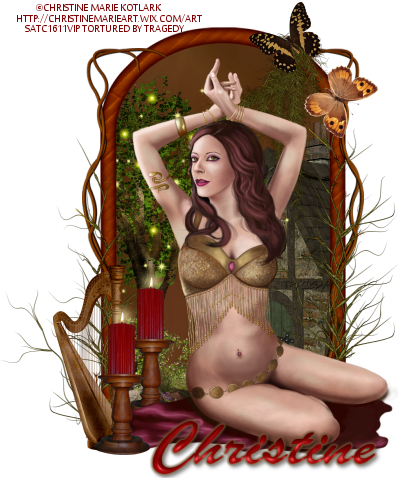
Nature's Dance tut & Clusterframe....

Supplies Used:
Belly Dancer tube by Christine Marie Kotlark. Get it at SATC.
Ala Forest Fairy kit by Puddicat Creations. I seem to have a knack for using old kits lately so once again I will include a cluster frame. You can get her current kits at SATC.
Eyecandy 4000 Gradient Glow (Font Only)
Font: Ukranian Brush Script.

Open a new image size 500 by 500.
C/P Frame 1.
Resize by 65%.
Select the inside of the frame using your magic wand.
Selections, Modify, Expand by 3.
Add a new raster layer under the frame layer.
C/P Paper 15 into selection.
Selections, Invert.
Open House 1.
Image, Mirror.
C/P onto your tag.
Resize by 50%.
Position along the right side of the frame & hit delete on the keyboard.
C/P Ground 1.
Resize by 50%.
Position along the bottom of the frame and hit delete on your keyboard.
C/P Tree 2.
Resize by 50%.
Position along the left side of the frame and hit delete on the keyboard.
C/P Water pump 1.
 Resize by 30%.
Position under the left corner of the frame & hit delete on the keyboard.
Deselect.
C/P Vines 3.
Resize by 65%.
Position over the left side of the frame.
Using your eraser tool remove any part of the vine over the inside of the frame.
Duplicate vine & Mirror.
C/P Spanish Moss 2.
Image, Flip.
Resize by 50%. 
Position over the bottom left corner of the frame.
Duplicate & Mirror.
C/P Spanish Moss 1.
Image, Mirror.
Resize by 30%.
Position over the top right of the frame.
C/P Butterfly 2.
Resize by 15%.
Position to cover the top of spanish moss 1.
C/P Butterfly 1.
Resize by 15%.
Position down slightly from the other butterfly.
C/P Harp 1.
Resize by 30%.
Position over the bottom left corner of the frame.
C/P your tube.
C/P Candle 1.
Resize by 30%. 
Duplicate.
Move one candle under the blanket of the tube layer, The other position over the right of the harp.
Dropshadow Elements, Frame, & Tube layers.
Type out your font.
Apply inner bevel of choice.
Add Gradient Glow of 3.
Dropshadow.
Don't forget your copyright & Watermark.
 
And in case you need it...Click then right click to save....
 

Wednesday, April 17, 2013

Dressed In Desire tut...

Supplies Used:
Blue Lace tube by Christine Marie Kotlark. Get it at SATC.
Animal Print Storm kit from Bibi's Collection. Get it at SATC.
Eyecandy 4000 Gradient Glow (Font Only)
Font: Swan Song

Open a new image size 500 by 500.
C/P Element 68.
Select the inside of the frame using your magic wand.
Selections, Modify, Expand by 3.
Add a new raster layer under the frame layer.
C/P Paper 14 into selection.
Deselect.
Dropshadow frame.
C/P your tube.
Dropshadow.
C/P Element 90.
Image, Mirror.
Resize by 40%. Dropshadow.
Position over the bottom left of the frame.
C/P Element 79.
Resize by 30%.
Position over the bottom right of the frame.
C/P Element 66.
Resize by 40%. Dropshadow.
Position over the top of the screen.
C/P Element 65.
Resize by 40%. Dropshadow.
Position over the top of the screen.
C/P Element 81.
Resize by 30%. Dropshadow.
Line the leg up with the leg on the right of the screen.
C/P Element 1.
Resize by 20%. Dropshadow.
Position over the left of the bag.
C/P Element 28.
Resize by 20%. Dropshadow.
Position to the left of the handbag.
C/P Element 17.
Resize by 40%. Dropshadow.
Position under the top of the shoes.
C/P Element 18.
Resize by 40%. Dropshadow.
Position between the bag and shoes.
Type out your font.
Apply inner bevel of choice.
Add Gradient Glow of 3.
Dropshadow.
Don't forget your copyright & Watermark.


Tuesday, April 16, 2013

Think About You tut...

Supplies Used:
Doll tube by Christine Marie Kotlark. Get it at SATC.
Sweet Thinking kit from Foxys Designz. Get it HERE.
Eyecandy 4000 Gradient Glow (Font Only)
Font: Seasons-Spring

Open a new image size 500 by 500.
C/P Element 54.
Resize by 75%. 
Select the inside of the frame using your magic wand.
Selections, Modify, Expand by 3.
Add a new raster layer under the frame layer.
C/P Paper 5 into selection.
Deselect.
Dropshadow frame.
C/P your tube. Dropshadow.
C/P Element 14.
Image, flip.
Resize by 50%. Dropshadow.
Position over the bottom of the frame.
Duplicate flowers.
Image, Rotate, Free rotate 90 degrees.
Position over the left side of the frame.
C/P Element 44.
Resize by 50%. Dropshadow.
Position over the flowers at the bottom of the frame.
C/P Element 2.
Resize by 30%. Dropshadow.
Position over the bottom left wear the flowers meet.
C/P Element 41.
Resize by 30%. Dropshadow.
Position under the bottom left of the word art.
C/P Element 22.
Resize by 30%. Dropshadow.
Use your deform tool to position under the right side of the word art.
C/P Element 40.
Resize by 40%. Dropshadow.
Position over the left side of the word art.
C/P Element 28.
Resize by 20%. Dropshadow.
Position over the bottom left of the word art.
Type out your font.
Apply inner bevel of choice.
Add Gradient Glow of 3.
Dropshadow.
Don't forget your copyright & Watermark.


Friday, April 12, 2013

Wicked Graveyard mini tut...

Supplies Used:
Amanda tube by Christine Marie Kotlark. Get it at SATC.
True Blood kit from Sky Scraps. Get it at SATC.
Eyecandy 4000 Gradient Glow (Font Only)
Font: Raven

What I Used:
Paper 1
Element 2 (50%)
Element 6 (40%)
Element 20 (30%)
Element 23 (60%)
Frame 4 (40%)
Moon (50%)


Anarchy Ribbons tut...

Supplies Used:
Red Ribbon tube by Christine Marie Kotlark. Get it at SATC.
Always Anarchy kit by Inspired Creationz. It is party of the Anarchy Mermaid collab from SATC.
Font: Steve Handwriting

Open a new image size 500 by 500.
C/P Frame 4.
Resize by 65%. Dropshadow.
Use your lasso tool to select around the inside of the frame.
Add a new raster layer under the frame layer.
C/P Paper 4 into selection.
Deselect.
C/P your tube. Dropshadow.
C/P Glitter 1.
Image, Rotate, Free rotate 90 degrees.
Resize by 50%. Dropshadow.
Position along the bottom of the frame.
C/P Boot.
Resize by 55%. Dropshadow.
Position over the right side of the frame.
C/P Bottle 1.
Resize by 40%. Dropshadow.
Position under the toe of the boot.
C/P Lipstick.
Resize by 30%. Dropshadow.
Position over the bottom of the bottle.
C/P Hat.
Resize by 30%. Dropshadow.
Position over the left side of the lipstick.
C/P Girly Skull 2.
Resize by 25%. Dropshadow.
Use your deform tool to position over the bottom of the hat & Boot.
Type out your font.
Apply inner bevel of choice.
Dropshadow.
Don't forget your copyright & Watermark.


Thursday, April 11, 2013

Nocturnal Love tut...(FTU)

Supplies Used:
Nocturnal tube by Christine Marie Kotlark. Get it at SATC.
The SO's Love sampler from Gothic Inspirations. Get it HERE.
Eyecandy 4000 Gradient Glow (Font Only)
Font: Eternal Call
 
Open a new image size 500 by 500.
C/P Frame 1.
Resize by 40%.
Select the inside of the frame using your magic wand.
Selections, Modify, Expand by 3.
Add a new raster layer under the frame layer.
 C/P Paper 4 into selection.
Deselect.
Dropshadow frame.
C/P Tree.
Resize by 50%. Dropshadow.
Use your eraser to remove the tree from above and across the frame.
C/P Beads.
Resize by 40%. Dropshadow.
Position across the top of the frame.
C/P Corner Doodle.
Image, Flip, Mirror.
Resize by 50%. Dropshadow.
Position over the bottom left corner of the frame.
C/P Rose 2.
Resize by 30%. Dropshadow.
Position over the bottom left of the frame.
C/P Heart 1.
Image, Mirror.
Resize by 20%. Dropshadow.
Position under the right side of the rose.
C/P Skull.
Image, Mirror.
 Resize by 20%. Dropshadow.
Position over the bottom of the heart.
C/P Word Art 2.
Resize by 30%. Dropshadow.
Position over the bottom left of the frame.
C/P your tube.
Dropshadow.
Type out your font.
Apply Gradient Glow of 3 in black.
Dropshadow.
Don't forget your copyright & Watermark.


Wednesday, March 20, 2013

Cherry Babe tut...

Supplies Used:
Bad Girl tube from Christine Marie. Get it at SATC.
Kit by Abstract creations. Get it from CDO.
Font: Betty's Hand.

Open a new image size 500 by 500.
C/P E 9.
Resize by 75%.
Using your eraser tool remove the ribbon at the top and bottom of the frame.
Select the inside of the frame using your magic wand.
Selections, Modify, Expand by 3.
Add a new raster layer under the frame layer.
C/P Paper 4 into selection.
Deselect.
Duplicate paper layer.
Change the layer property to multiply.
Dropshadow frame layer.
C/P E2.
Resize by 30%. Dropshadow.
Position near the bottom middle of the frame.
C/P E8.
Resize by 30%. Dropshadow.
Position over the bottom of the cocktail glass.
C/P E13.
Resize by 30%. Dropshadow.
Position to the right of the cocktail glass.
C/P E7.
Image, Mirror.
Resize by 30%. Dropshadow.
Position over the bottom of the cup & Saucer.
C/P E11.
Resize by 30%. Dropshadow.
Position over the bottom of the cheesecake plate.
C/P E4.
Resize by 30%. Dropshadow.
Position between the base and heel of the shoe.
C/P your tube.
Dropshadow.
Position over the left side of the frame.
C/P E15.
Resize by 85%. Dropshadow.
Position over the bottom of the elements.
Type out your font and position over the paper layer.
Apply inner bevel of choice.
Dropshadow.
Don't forget your copyright & Watermark.


Thursday, March 14, 2013

Work It tut...

Supplies Used:
Andrea tube by Christine Marie Kotlark. Get it at SATC.
Jacklyn Night kit by Bibi's Collection. Get it at SATC.
Eyecandy 4000 Gradient Glow (Font Only)
Fonts: Karate & Admiration Pains

Open a new image size 500 by 500.
C/P Element 28.
Resize by 45%. Dropshadow.
C/P Element 30.
Use your deform tool to fit across your tag and about 3/4 of the way up the brick.
Dropshadow City Scape.
C/P Element 47.
Resize by 40%. Dropshadow.
Position under the top right side of the city.
C/P Element 16.
Dropshadow.
Position at the bottom of the city scape.
Using the Karate font type out "Work It Girl."
Convert to raster layer.
Apply inner bevel of choice.
Add Gradient Glow of 3 in black.
Position under the top edge of the ribbon.
C/P your tube.
Dropshadow.
Position over the left side of the tag.
C/P Element 45.
Resize by 40%. Dropshadow.
Position over the bottom right of the ribbon.
C/P Element 33.
Resize by 25%. Dropshadow.
Position over the right side of the boom box.
C/P Element 6.
Image, Mirror.
Resize by 40%. Dropshadow.
Duplicate notes.
Position both sets of notes above the boom box.
Type out your Admiration Pains font.
Apply inner bevel of choice.
Add Gradient Glow of 3 in black.
Don't forget your copyright & Watermark.


Friday, March 8, 2013

Backstage Burlesque tut...

Supplies Used:
Elizha tube by Christine Marie Kotlark. Get it at SATC.
Burlesque Red kit by Scrapz N Pleasure. Get it at SATC.
Eyecandy 4000 gradient Glow (Font Only)
Mask Of Choice
Font: SF Hollywood Hills

Open a new image size 500 by 500.
C/P Element 53.
Dropshadow.
Select the background layer.
C/P Element 37.
Resize by 50%. Dropshadow.
Position under the left side of the screen.
Duplicate curtain & Mirror.
C/P Element 10.
Dropshadow.
Position at the top of the curtains.
Select the screen layer.
C/P Element 21.
Image, Mirror.
Resize by 30%. Dropshadow.
Position over the fold on the right side of the screen.
C/P Element 46.
Resize by 25%. 
Apply mask of choice and merge group.
Dropshadow.
Position at the bottom of the screen.
C/P Element 44.
Resize by 25%. Dropshadow.
Use your eraser tool to remove half of the cherries.
Position the curve over the right top of the screen.
C/P Element 59.
Resize by 25%. Dropshadow.
Use your deform tool to position over the cherries.
(Cherries will be hidden and just look like the top of a hanger.)
Duplicate corset.
Change the layer property to multiply.
C/P The following elements and position over the left side of the "boa":
Element 55 (30%)
Element 1 (25%)
Element 58 (Mirror)(25%)
Element 19 (35%)
C/P The following elements and position over the right side of the "boa":
Element 48 (30%)
Element 56 (30%)
Element 6 (15%)
C/P your tube. Dropshadow.
Position over the center of the frame.
Type out your font under the tube.
Convert to raster layer.
Apply inner bevel of choice.
Add Gradient Glow of 3 in black.
Dropshadow.
Don't forget to add your copyright & Watermark.